Receiving an online order should not create a chain of manual administrative tasks.
Yet many businesses still rely on employees to transfer order information between systems, check inventory, prepare production instructions, generate shipping labels and update customers.
When order volumes increase, these repetitive processes become harder to manage. Incorrect addresses, duplicated orders, stock discrepancies and delayed shipments can become recurring operational problems.
Fulfilment automation solutions address these challenges by connecting the systems responsible for completing customer orders.
The objective is not simply to make individual tasks faster. It is to create a coordinated operational workflow in which orders move from purchase to delivery with minimal unnecessary manual intervention.
What is fulfilment automation?
Fulfilment automation, also written as fulfillment automation in the United States, connects the systems and processes involved in completing customer orders.
Depending on the business, this may include:
- Receiving orders from multiple sales channels.
- Validating customer and product information.
- Checking and reserving inventory.
- Routing orders to warehouses or production facilities.
- Generating picking or production instructions.
- Creating shipments and shipping labels.
- Synchronising tracking information.
- Updating customers and sales channels.
- Handling cancellations, returns and operational exceptions.
An automated fulfilment system coordinates these activities according to defined business rules.
Employees can then focus on exceptions, quality control and operational decisions rather than repeatedly transferring information between applications.
How does fulfilment automation work?
Consider an e-commerce business receiving orders through its online store and several external marketplaces.
Without integration, employees may need to export orders, import spreadsheets into another application, check available inventory and manually arrange shipments.
An integrated fulfilment system can coordinate these operations automatically.
-
Sales channels
Stores and marketplaces receive the order
-
Order ingestion
Orders are imported into a consistent format
-
Validation
Products, addresses and requirements are checked
-
Fulfilment routing
Inventory is allocated or production is assigned
-
Warehouse or production
The order is picked, packed or manufactured
-
Shipping
A shipment is created with the carrier
-
Status updates
Tracking reaches the sales channel and customer
This diagram shows an illustrative successful processing path. Real operations may also contain exceptions, parallel activities and feedback loops.
1. Order ingestion
The system receives orders through APIs, webhooks or scheduled synchronisation processes.
Orders from different sales channels are converted into a consistent internal format.
A reliable ingestion process should recognise duplicate deliveries and prevent the same external order from unintentionally creating multiple fulfilment operations. Shopify, for example, notes that an application might receive the same webhook more than once and provides a delivery identifier for detecting duplicates.
2. Order validation
Before processing begins, the system verifies the information needed to fulfil the order.
This may include:
- Product identifiers and SKU mappings.
- Required product options.
- Shipping addresses.
- Payment or approval status.
- Delivery requirements.
- Required production files.
Orders containing incomplete or invalid information can be routed to an exception queue for human review.
3. Inventory allocation or production routing
For stocked products, the system checks availability and reserves inventory according to the business’s allocation rules.
For made-to-order products, it may create production instructions and route the order to an appropriate manufacturing facility.
Businesses operating across multiple locations may use routing rules based on stock availability, destination, production capability, capacity or delivery commitments.
4. Picking, packing or manufacturing
The fulfilment system generates the information required by the warehouse or production team.
This may involve picking lists, packing instructions, manufacturing job records or print-ready production files.
Software automation can coordinate physical operations without necessarily replacing the people or machinery responsible for performing them.
5. Shipping automation
When an order is ready to ship, the system can transmit shipment information to an integrated carrier.
Depending on the available carrier capabilities, it may generate labels, request collections, retrieve tracking numbers and compare eligible shipping services.
6. Status synchronisation
The system receives fulfilment and shipment updates and communicates them to the appropriate sales channels and customer-facing applications.
This reduces the need for employees to manually update order statuses across several systems.
A properly designed workflow also distinguishes between events such as label creation, carrier collection and actual delivery.
Creating a shipping label does not necessarily mean that an order has shipped.
What processes can fulfilment automation software handle?
| Operational process | Manual workflow | Automated workflow |
|---|---|---|
| Order collection | Download orders from individual platforms | Import and normalise orders through integrations |
| Product mapping | Match products manually | Apply configured SKU and product mapping rules |
| Inventory checks | Check stock across applications | Validate and reserve available inventory |
| Order routing | Assign orders manually | Route according to operational rules |
| Production | Prepare individual job instructions | Generate structured production records |
| Shipping | Enter shipment information manually | Create eligible shipments through carrier APIs |
| Tracking | Copy tracking numbers between systems | Synchronise carrier tracking events |
| Exceptions | Discover problems through manual checks | Detect issues and route them for review |
The appropriate level of automation depends on the business model, existing software, available integrations and physical fulfilment processes.
Fulfilment automation for different industries
E-commerce businesses
E-commerce companies often sell through several stores and marketplaces while managing inventory through separate applications.
An integrated system can consolidate orders into a consistent workflow, coordinate inventory availability and synchronise fulfilment information across sales channels.
For growing businesses, this can reduce administrative duplication and provide better visibility into outstanding orders.
Third-party logistics and fulfilment providers
A third-party logistics provider may fulfil orders for several independent businesses.
This introduces requirements such as client-specific workflows, inventory ownership, customer permissions, reporting and shipment rules.
A fulfilment automation solution can provide a shared operational platform while keeping each client’s information and business rules appropriately separated.
Print-on-demand businesses
Print-on-demand fulfilment is particularly dependent on accurate information exchange.
Unlike conventional stocked products, an order may require a personalised design, specific print placement, garment variants or individual production instructions.
A print-on-demand automation workflow may need to:
- Retrieve orders from connected stores.
- Map product variants to production specifications.
- Retrieve and validate design files.
- Generate production jobs.
- Route jobs to suitable production facilities.
- Track production progress.
- Coordinate quality checks.
- Generate shipping labels.
- Synchronise tracking information with the originating store.
The system must preserve the relationship between the original customer order, its individual items, the associated production files and the final shipment.
An incorrect product mapping or missing production file can prevent an order from being manufactured correctly.
ReemRose’s engineering experience includes developing software for commercial fulfilment and print-on-demand operations, where these relationships and integrations are essential.
Manufacturing businesses
Manufacturers may receive orders that need to be translated into production jobs rather than immediately shipped from available stock.
Automation can coordinate order requirements, material availability, manufacturing instructions, production status and shipping.
The appropriate integration may involve existing enterprise resource planning systems, manufacturing software or dedicated production management applications.
Connecting existing systems instead of replacing everything
Many businesses already operate several applications that perform their individual responsibilities effectively.
The problem is often that those applications do not communicate reliably.
An effective fulfilment automation solution may connect:
- E-commerce platforms and marketplaces.
- Order management systems.
- Warehouse management systems.
- Enterprise resource planning systems.
- Inventory management software.
- Manufacturing and production systems.
- Shipping carriers.
- Accounting applications.
- Customer relationship management systems.
Custom integrations can allow businesses to retain their existing tools while reducing the manual work required to operate them together.
However, integrating applications involves more than transferring data from one API to another.
The system must account for inconsistent identifiers, different data formats, authentication, rate limits, failed requests and changing external system capabilities.
For example, an external marketplace may use a different product identifier from the warehouse responsible for fulfilling its orders.
A reliable integration needs an explicit mapping between those identifiers rather than assuming they are interchangeable.
The architecture of a reliable fulfilment automation system
A representative architecture consists of several connected layers.
-
Sales channels
Stores and marketplaces send orders
-
Integration layer
Authenticates, converts and validates data
-
Order orchestration
Coordinates the fulfilment steps
-
Warehouse, production and carrier systems
Perform and confirm the physical work
Integration layer
This layer receives information from sales channels, carriers and business applications.
It handles external authentication, data conversion, request validation and integration-specific requirements.
Order orchestration layer
The orchestration layer coordinates the sequence of fulfilment operations.
It determines which steps are required, which operations can run independently and what should happen when an operation fails.
A simple order may proceed directly to inventory allocation, while a personalised product may require artwork validation and manufacturing.
Operational data and state management
The system maintains a consistent record of each order and its fulfilment progress.
This can include order items, inventory allocations, production jobs, shipments, external identifiers and processing history.
Reliable state management is especially important when orders are split into multiple shipments or fulfilled across several locations.
An entire order should not be marked as fulfilled simply because one of its items has shipped.
Background workers
Background workers can process operations such as carrier integrations, file retrieval, notifications and status synchronisation.
Separating these activities from the initial order reception process can improve responsiveness and make individual failures easier to recover from.
Monitoring and exception management
An operational dashboard should make processing failures visible.
Employees need to understand which orders require attention, why they failed and what corrective action is available.
An automated process that fails silently may be more difficult to manage than a transparent manual workflow.
Handling failures, retries and duplicate orders
External APIs and network connections can fail.
A shipping provider may accept a shipment creation request even though the fulfilment application does not receive its response.
If the system immediately repeats that request without checking its previous outcome, it may unintentionally create another shipment.
Reliable fulfilment automation requires mechanisms such as:
- Idempotent operations where supported.
- Persistent processing records.
- Controlled retry policies.
- External identifier reconciliation.
- Validation of state transitions.
- Operational alerts.
- Human review for ambiguous outcomes.
A retry should not automatically repeat an external operation that may already have succeeded.
The system must distinguish between a confirmed failure, an unknown outcome and a successfully completed operation.
After an operation is attempted, its outcome should be checked before the next step is chosen:
| Outcome | What it means | Appropriate next step |
|---|---|---|
| Confirmed success | The external system completed the operation | Record the result and continue the workflow |
| Confirmed failure | The operation was not completed | Retry when appropriate, or route it for review |
| Unknown outcome | The result cannot yet be determined, for example after a timeout | Reconcile with the external system before attempting the operation again |
This principle applies to order ingestion, stock allocation, production jobs, shipment creation and financial integrations.
Where artificial intelligence fits into fulfilment automation
Not every automation requires artificial intelligence.
Many core fulfilment operations should use deterministic business rules.
Inventory reservations, shipment state changes and financial transactions must remain predictable and auditable.
AI may be useful for selected supporting activities, such as:
- Extracting information from unstructured purchase orders.
- Classifying operational support requests.
- Identifying unusual order patterns.
- Assisting with product data normalisation.
- Summarising fulfilment exceptions.
- Helping employees search operational records.
AI-generated information should be validated before it controls important operational actions.
For example, an AI system may extract a product specification from an email, but the resulting information should still be checked against the business’s product catalogue and order requirements.
The most effective approach is often to combine reliable conventional automation with AI where it provides a measurable operational benefit.
How to measure the value of fulfilment automation
Businesses should evaluate automation using operational measurements rather than assuming every implementation will produce the same savings.
Useful metrics include:
- Manual processing time per order.
- Order processing error rate.
- Time between order receipt and fulfilment.
- Percentage of orders requiring manual intervention.
- Inventory discrepancies.
- Duplicate fulfilment operations.
- Shipment processing time.
- Cost per fulfilled order.
- On-time dispatch rate.
Consider a purely illustrative business processing 5,000 orders per month.
If employees spend an average of three minutes transferring or validating information for each order, that represents 250 hours of monthly administrative effort.
If automation reduces that average to one minute, the remaining effort becomes approximately 83 hours per month.
| Measurement | Before automation | Illustrative automated workflow |
|---|---|---|
| Monthly orders | 5,000 | 5,000 |
| Manual effort per order | 3 minutes | 1 minute |
| Monthly manual effort | 250 hours | Approximately 83 hours |
| Potential time released | — | Approximately 167 hours |
This is a hypothetical calculation, not a documented customer result or guaranteed saving.
Actual results depend on exception rates, process complexity, integration reliability and the activities that remain manual.
Released employee time does not necessarily translate directly into reduced payroll expenses. It may instead allow the business to process more orders or improve operational service.
Ready-made fulfilment software versus custom automation
Existing fulfilment management products can be appropriate when a business follows supported standard workflows.
Custom software becomes more relevant when the business operates across disconnected systems, requires unusual production workflows or needs functionality that existing products do not adequately support.
| Consideration | Ready-made software | Custom automation |
|---|---|---|
| Initial implementation | Configuration and available integrations | Discovery, integration and development |
| Business rules | Limited to supported options | Designed around defined requirements |
| Production workflows | Dependent on available functionality | Can support specialised operations |
| External integrations | Available connectors and APIs | Custom integration possibilities |
| Data control | Depends on vendor architecture and terms | Depends on implementation and agreement |
| Future changes | Subject to vendor capabilities | Governed by the business’s product roadmap |
The decision should account for the complete cost of operating and adapting the solution over time.
A business may also choose a hybrid approach: retaining established software for standard functions while developing custom orchestration and integrations for its unique operational requirements.
When should a business invest in fulfilment automation?
Businesses should consider automation when repetitive operational work begins to constrain growth or create recurring errors.
Common indicators include:
- Employees repeatedly copying information between applications.
- Orders being processed through spreadsheets.
- Frequent mismatches between sales and inventory systems.
- Difficulty managing orders from multiple channels.
- Limited visibility into production or shipment progress.
- Delays caused by manual approvals and handovers.
- Increasing administrative workload as order volumes grow.
- Difficulty identifying and resolving failed fulfilment operations.
The number of orders alone does not determine whether automation is worthwhile.
A smaller business handling complex personalised products may benefit more from automation than a larger business with simple, standardised fulfilment processes.
How to implement fulfilment automation successfully
Map the existing workflow
Document how orders move from the sales channel to their final destination.
Identify which systems, employees and external providers are involved.
Identify repetitive work and operational risks
Determine where unnecessary manual activities, errors, delays and information gaps occur.
Define the authoritative source for each type of data
Establish which system controls orders, inventory, production status and shipping information.
Avoid allowing several applications to independently overwrite the same operational state without coordination.
Prioritise the highest-value integrations
Begin with workflows that create significant operational work or prevent the business from scaling.
It is not necessary to automate every activity in the first release.
Implement monitoring and exception handling
Automation should make failures easier to identify, investigate and resolve.
Provide clear operational records and appropriate manual intervention mechanisms.
Measure results and expand
Compare operational measurements before and after implementation.
Use the results to determine which additional workflows should be automated.
Frequently asked questions
What is a fulfilment automation solution?
It is software that coordinates activities involved in completing customer orders, such as order ingestion, inventory allocation, production, shipping and status synchronisation.
Can fulfilment automation connect existing e-commerce and warehouse systems?
Yes, where the relevant systems provide suitable interfaces or other supported integration mechanisms. The complexity depends on the available APIs, data formats and business requirements.
Is fulfilment automation the same as warehouse automation?
Not exactly. Warehouse automation focuses primarily on warehouse operations, while fulfilment automation can coordinate the wider process from order receipt through production, shipping and delivery updates.
Does fulfilment automation require warehouse robots?
No. Software-based fulfilment automation can coordinate orders, inventory, production and shipments without introducing physical robotics.
Can print-on-demand fulfilment be automated?
Yes. Software can automate order ingestion, product mapping, production file retrieval, production routing, status updates and shipping integrations. Physical production and quality-control requirements must still be addressed.
Does fulfilment automation require AI?
No. Many essential workflows are better implemented using deterministic business rules. AI can complement these workflows by assisting with unstructured information, classification and operational analysis.
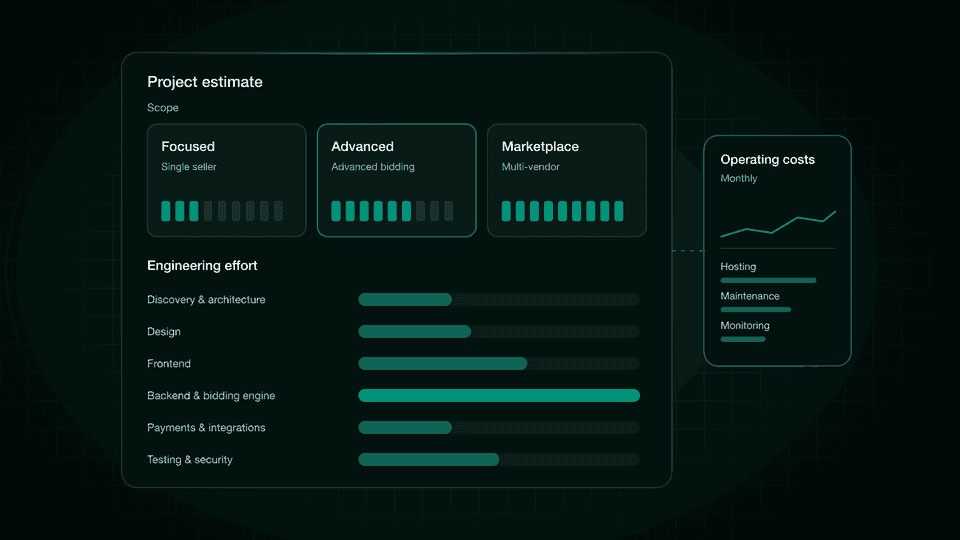
How much does fulfilment automation software cost?
The cost depends on the systems being connected, the complexity of operational workflows, required custom development and ongoing infrastructure and maintenance requirements. An accurate estimate requires a clearly defined project scope.
Build fulfilment automation around your business
Your fulfilment process should support your business rather than become an obstacle to its growth.
Whether you operate an e-commerce business, fulfilment centre, manufacturing company or print-on-demand operation, connecting your systems can reduce repetitive work and improve operational visibility.
At ReemRose, we develop custom software and business integrations around actual operational requirements.
From order ingestion and production workflows to inventory synchronisation and shipping integrations, we can help you design a fulfilment automation solution suited to your business.
Explore our custom software development and business automation solutions, or contact our team to discuss your existing fulfilment workflow.
Back to Insights